
Looks like you're visiting from {country}...
Switch to our {language} site for local pricing and products
Merchant insights
Dynamic Currency Conversion (DCC): what is it, and how does it work?

IN THIS ARTICLE
This is a div block with a Webflow interaction that will be triggered when the heading is in the view.
.avif)
If you’ve seen a card terminal ask whether the customer would like to pay in their own currency or the local currency, then you’ve seen Dynamic Currency Conversion (DCC) in action.
DCC shows the total amount in the customer’s home currency, giving the customer greater visibility into the cost of their purchase before they pay. For businesses, it can help create a smoother payment experience for international visitors.
We’ll explain what Dynamic Currency Conversion is, how it works, its benefits and potential drawbacks, and what merchants should know before offering it.
Key takeaways:
- Dynamic Currency Conversion (DCC) allows international customers to choose whether to pay in their home currency or the local currency.
- The exchange rate and final amount are displayed before the payment is completed.
- DCC can provide greater price transparency for customers who prefer to see the cost in a familiar currency.
- Some customers may prefer to pay in the local currency instead, so the choice should always be theirs.
- Flatpay includes DCC at no extra cost for merchants and automatically activates it on eligible payment devices.
What is Dynamic Currency Conversion?
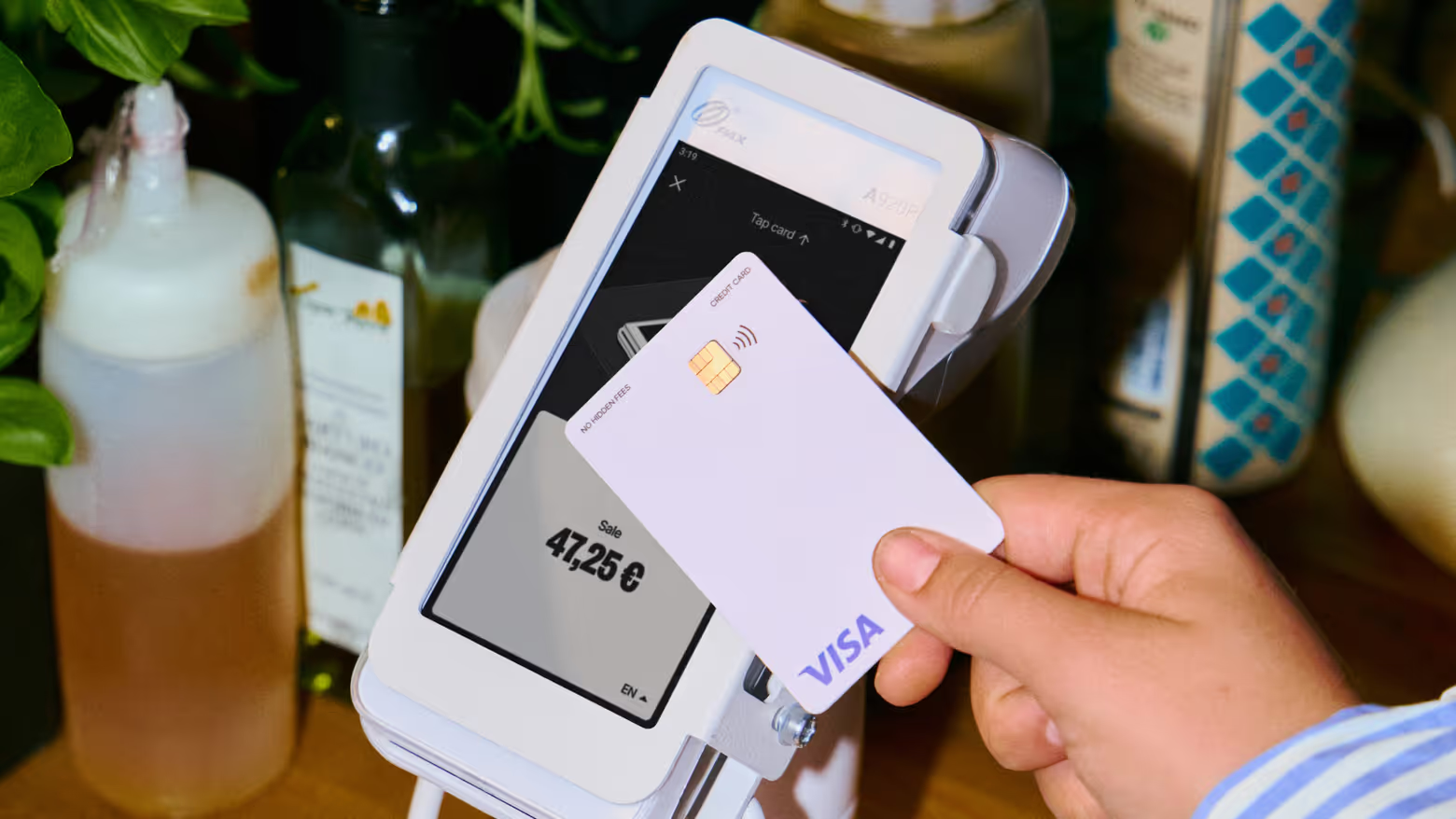
Dynamic Currency Conversion (DCC) is a payment feature that allows customers using an eligible international payment card to choose which currency they'd like to pay in.
When an international card is inserted, tapped, or swiped, the payment terminal recognises that the card was issued in another country. Instead of automatically charging the customer in the local currency, the terminal offers two options:
- Pay in the local currency
- Pay in the cardholder's home currency
If the customer chooses their home currency, the payment terminal displays the exchange rate and the final amount before the transaction is completed.
This gives customers greater visibility into what they'll be charged at the time of purchase.
How does Dynamic Currency Conversion work?
The DCC process is simple and usually takes only a few seconds:
- The customer taps, inserts, or swipes an eligible international card.
- The payment terminal recognises the card's home currency.
- A currency choice appears on the screen.
- The exchange rate and final amount are displayed.
- The customer chooses whether to pay in their home currency or the local currency.
- The payment is processed in the selected currency.
The entire process happens during checkout, so it doesn’t add any unnecessary complexity for the customer or business.
Benefits of Dynamic Currency Conversion
Customers know the total cost before they pay
One of the biggest advantages of DCC is transparency. Customers who choose to pay in their home currency can see exactly how much they'll be charged before approving the transaction, rather than waiting for the conversion to appear on a bank statement later. That makes it easy for them to keep track of how much they’ve spent.
A familiar payment experience for international visitors
Paying in a familiar currency can make it easier for tourists, business travellers, and international visitors to understand the cost of their purchase. This can provide additional confidence when making payments abroad.
Simple for merchants
For businesses, DCC works automatically once it's enabled on the payment terminal. There's no additional process during checkout beyond presenting the customer with the available currency options.
Potential drawbacks of Dynamic Currency Conversion
Although DCC offers additional transparency, it isn't always every customer's preferred option. Some travellers prefer to pay in the local currency because their card provider may offer its own exchange rate or currency conversion service.
For that reason, there isn't a universally "better" option. The right choice depends on the customer's preferences and the terms offered by their bank or card issuer.
The most important thing is that customers are presented with both options clearly and allowed to make their own decision.
Should customers pay in their home currency or the local currency?
There isn't a single correct answer. Some customers prefer to know the exact amount they'll pay immediately by selecting their home currency. Others choose the local currency because they prefer the exchange rate offered by their own bank or card provider.
Ultimately, it's the customer's decision. As a merchant, it’s a compliance requirement that you remain strictly neutral when presenting the available options. If a customer asks questions, you must explain both choices factually without trying to influence the customer’s choice of currency.
Is Dynamic Currency Conversion free?
For merchants using Flatpay, yes. Dynamic Currency Conversion is included at no additional cost and is activated automatically on eligible Flatpay payment devices.
For customers, there is no separate fee for choosing DCC. If they choose to pay in their home currency, the exchange rate is displayed before the transaction is completed, allowing them to make an informed decision.
How Dynamic Currency Conversion works with Flatpay
Every eligible Flatpay payment device includes Dynamic Currency Conversion as a standard feature.
When an international card is recognised, the payment terminal automatically displays the available currency options before the payment is completed. Customers can then decide whether they'd like to pay in their own currency or the local currency.
The feature works automatically, making it easy to offer international customers additional payment flexibility.
Tip: When a customer chooses to pay in their home currency using Dynamic Currency Conversion, Flatpay automatically applies a reduction to your transaction fees.
The reduction is based on the DCC markup value and is reflected directly in your payouts. It isn't paid separately as a commission or bonus, and you'll be able to see it clearly in your fee breakdown within the Flatpay Portal.
Because the adjustment happens automatically, there's nothing extra you need to do.
Read more about Dynamic Currency Conversion with Flatpay
Remember – merchants should remain neutral
When offering Dynamic Currency Conversion, it's important that customers make their own choice. Merchants and staff should never encourage or influence customers to select either the local currency or their home currency.
If a customer has questions, provide balanced information about both options without suggesting that one is better than the other.
This neutrality helps ensure customers can make an informed decision and forms part of Flatpay's terms and conditions for using the feature.
A simpler way to give international customers more choice
Dynamic Currency Conversion gives eligible international customers the flexibility to choose how they'd like to pay.
By displaying the exchange rate and payment amount before the transaction is completed, DCC can provide additional transparency for customers who prefer to see the cost in their own currency. Others may prefer to pay in the local currency instead.
With Flatpay, DCC is included at no extra cost, activates automatically on eligible devices, and gives customers the freedom to choose the option that works best for them – while helping merchants deliver a simple and transparent payment experience.


Accepting payments for any business, anytime, anywhere
Two solutions designed to get you paid.



Getting paid starts here
Let us get you set up to accept card payments and manage orders in one place. Get started today and see how smooth running your business can be with Flatpay.

